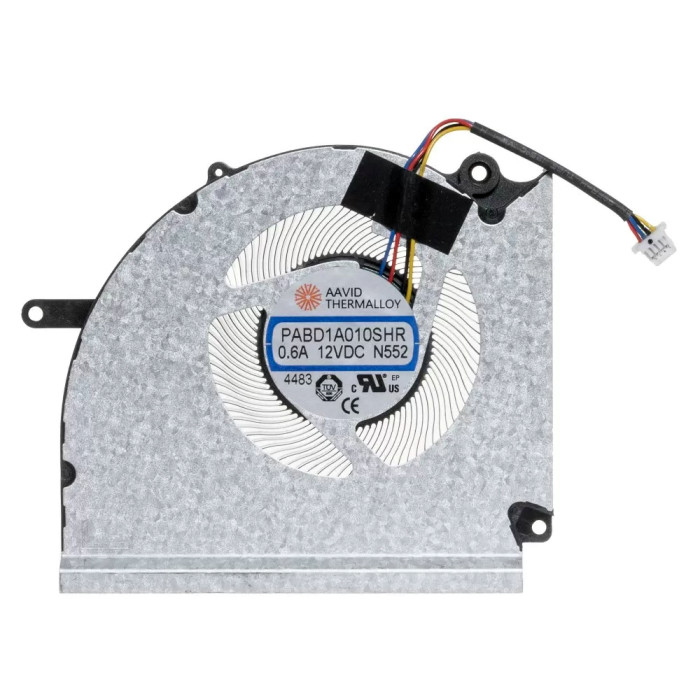

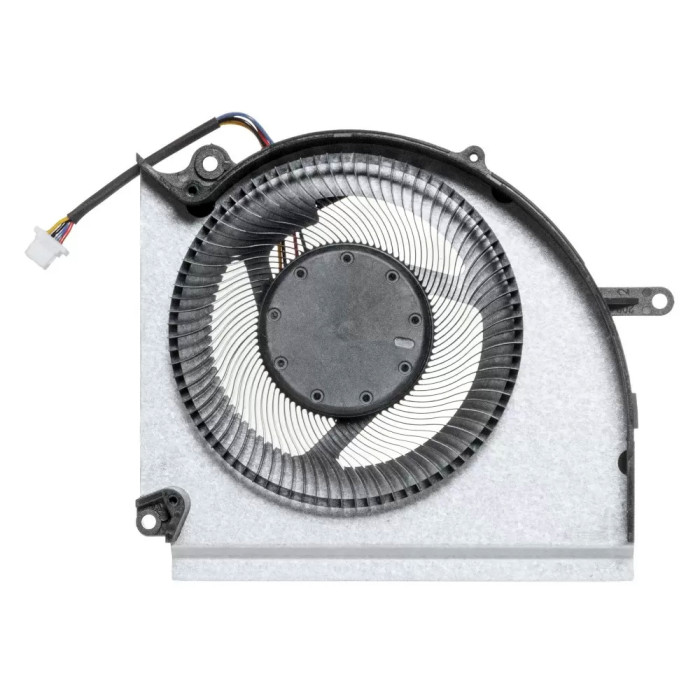
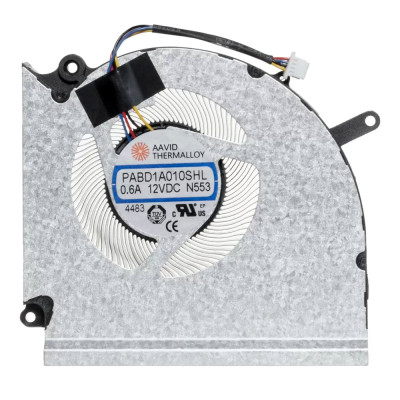
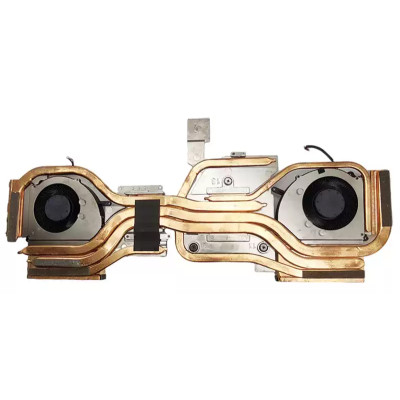
LT-10027898 MSI Vector 17 Hx A14v A14vgg A14vhg A13vhg CPU Fan original MS-17S3 MS-17S4

SKU: LT-10027898 In Stock
US $20.00
Model PABD1A010SHR-N552
Voltage DC12V,0.6A
Interface 4pin
Condition NEW
Location shenzhen,China

Replacement Fan – Voltage Impact & Selection Guide

LT-10027898 MSI Vector 17 Hx A14v A14vgg A14vhg A13vhg CPU Fan original MS-17S3 MS-17S4 (Model: PABD1A010SHR-N552) is a replacement cooling fan designed for laptop thermal management. The correct operating voltage is critical – most laptop fans operate at either 5V DC or 12V DC. Using the wrong voltage can lead to immediate fan failure, motherboard damage, or system instability.

Technical Specifications:

  • Part Number: PABD1A010SHR-N552
  • SKU: LT-10027898
  • Rated Voltage: DC12V,0.6A
  • Connector Interface: 4pin
  • Product Status: Brand New
  • Warranty: 90‑day replacement

Voltage – Why It Matters:

  • Performance vs. Safety – 12V fans provide higher airflow and RPM but consume more power and generate more heat. 5V fans are quieter, more energy‑efficient, and sufficient for low‑power CPUs.
  • Motherboard Compatibility – the fan header on your laptop's motherboard supplies a fixed voltage (usually 5V or 12V). A fan designed for a different voltage will either not spin (if undervoltage) or burn out (if overvoltage).
  • Battery Impact – higher voltage fans draw more current, reducing battery life in laptops. For portable usage, 5V fans are preferred.
  • Noise and Longevity – 12V fans tend to be noisier and may have shorter lifespans due to higher rotational speeds and heat generation.

How to Identify Your Fan's Voltage:

  • Check the sticker – look for labels such as “DC5V” or “DC12V” printed on the fan itself.
  • Measure with a multimeter – if you have access to a multimeter, power on the laptop and measure the voltage between the red and black wires of the fan connector (with the fan disconnected).
  • Use software tools – utilities like HWMonitor or SpeedFan can sometimes display fan voltage readings if supported by the motherboard.
  • Check the laptop service manual – the official service manual often lists the fan specifications, including voltage.

Still uncertain? Take a clear photo of the fan sticker and the connector, and send it to our support team. We will confirm the correct voltage and compatibility for you.

Compatible

Compatible part number

PABD1A010SHR N552

⚠️ Voltage Compatibility Check – Critical!
Installing a fan with the wrong voltage is one of the most common causes of laptop damage.
A 12V fan plugged into a 5V header will not spin (undervoltage) – risking overheating. A 5V fan plugged into a 12V header will burn out immediately (overvoltage) – potentially damaging the motherboard's fan controller.
Always verify the exact voltage (5V or 12V) printed on your original fan's sticker before ordering. If in doubt, contact us with a photo of your fan.
Fan quality testing

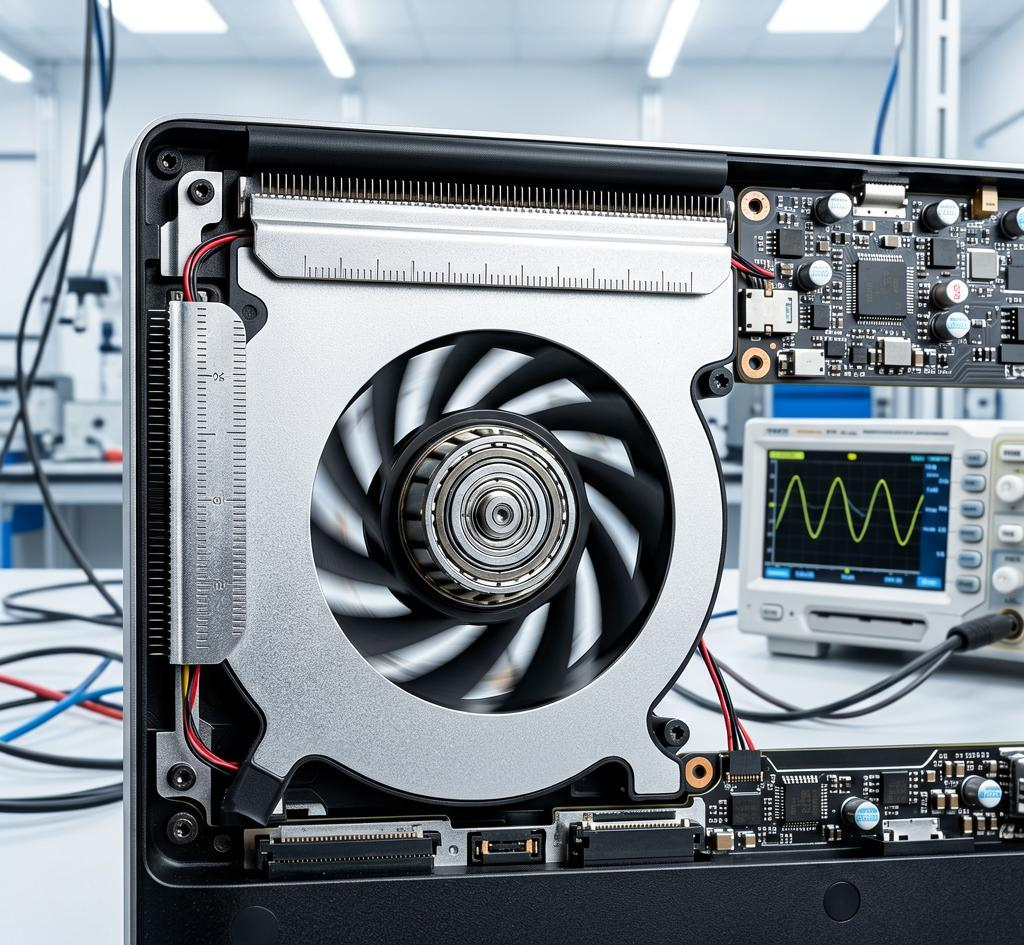
100% Tested – Voltage & Operation Verified

Each fan is subjected to rigorous testing, including voltage tolerance, start‑up reliability, speed (RPM) accuracy, and noise level under both idle and load conditions. We verify that the fan operates stably at its rated voltage and maintains consistent performance throughout its lifespan.
Voltage stability Start‑up reliability RPM & noise check

Laptop Fan Voltage Guide – Impact on Performance & Selection

Understand how voltage affects cooling, noise, battery life, and how to choose the right one

1 How Voltage Affects Your Laptop's Performance

Cooling Efficiency

Higher voltage (12V) allows fans to spin faster, moving more air and dissipating more heat – essential for gaming laptops and workstations. Lower voltage (5V) fans are suitable for ultra‑portables with lower TDP processors.

Noise Level

12V fans generally produce higher noise due to faster rotation. 5V fans are quieter, making them ideal for office or home environments.

Battery Life

12V fans draw more power, which can noticeably reduce battery runtime. For laptops used frequently on battery, a 5V fan is more energy‑efficient.

Longevity & Reliability

12V fans operate at higher speeds, generating more heat and wear on bearings, potentially shortening lifespan. 5V fans run cooler and often last longer.


2 5V vs 12V – Side‑by‑Side Comparison

Feature 5V Fan 12V Fan
Typical Laptop Types Ultrabooks, Chromebooks, thin‑and‑light models Gaming laptops, workstations, performance notebooks
Power Consumption ~1‑3W (low) ~3‑6W (moderate)
Typical RPM 2500‑5500 RPM 4000‑9000 RPM
Noise Level Quiet (15‑25 dBA) Moderate to loud (25‑35+ dBA)
Cooling Capacity Suitable for CPUs ≤15W Suitable for CPUs ≥25W (up to 45W+)
Impact on Battery Minimal drain Noticeable drain (5‑10% reduction)

Critical: A fan's voltage is determined by the motherboard's fan header. Never install a fan with a different voltage rating – even if it fits physically, electrical incompatibility will cause failure.


3 How to Identify Your Fan's Voltage

Check the Sticker

Look for the printed label – it usually states "DC5V" or "DC12V" clearly. This is the most reliable method.

Software Detection

Tools like HWMonitor, SpeedFan, or Open Hardware Monitor may display the fan voltage if your motherboard supports it.

Multimeter Measurement

With the laptop powered on (and fan disconnected), measure the voltage between the red (+) and black (-) wires of the fan connector – this gives the exact motherboard output voltage.


4 How to Choose the Right Fan Based on Voltage

Step 1: Identify Your Original Fan's Voltage

Use one of the methods above to confirm whether your laptop uses 5V or 12V – this is non‑negotiable.

Step 2: Match Physical Dimensions & Connector

Even with correct voltage, the fan must physically fit – check thickness, screw holes, and pin count.

Step 3: Consider Your Usage

If you primarily use your laptop for office work, a 5V fan is sufficient. For gaming or heavy rendering, a 12V fan is necessary.

Step 4: Don't Forget the Cable Length

Ensure the fan cable is long enough to reach the motherboard connector without stretching or bending sharply.

Don't risk destroying your laptop! Always verify the voltage before ordering. If you're unsure, send us a clear photo of your original fan's sticker and the connector – we'll confirm the voltage and compatibility for you. Contact us →